It's been about five years since the first Raspberry Pi Pico went on sale, and about two since the Pico 2 followed it. A Pico is a microcontroller: a single chip that runs one program from the moment it gets power, with no operating system. That makes it a very different thing from a Pi 5 or a Zero 2 W running Linux. My view is that most newcomers should buy the $7 Pico 2 W and skip the Zero 2 W unless their project truly needs Linux.
Is a Pico just a small Pi?
It looks like one, with the green board, the Raspberry Pi name and the rows of pins, but inside it is a different kind of machine. The Pico is a microcontroller, ITPro explains, meaning the whole computer is built into a single integrated circuit chip. There is no SD card with an operating system on it, no desktop and no login. You copy a program to the board and it runs that program until you give it another one.
Setup works nothing like the process in our guide to flashing Raspberry Pi OS with Raspberry Pi Imager, because there is no image to write and no first boot wizard. You hold a button called BOOTSEL while connecting the Pico to a computer over USB, and the board appears as a drive that you copy one file onto.
ITPro makes a second point I think beginners underrate: general purpose operating systems are poor at low-latency input and output. Linux decides when your code gets a turn on the processor. A Pico has no operating system to share the chip with, so your program alone decides when a pin changes. That, more than RAM, is the reason to pick a microcontroller.

Is the Pico 2 worth more than the original Pico?
The first generation Pico is built on the RP2040 chip with 264 kB of SRAM, and the Pico 2 on the RP2350 with 520 kB of SRAM and 4 MB of flash, as Raspberry Pi's Pico series documentation sets out. Raspberry Pi's Pico product page gives the RP2040 as a dual-core Arm Cortex-M0+ running at up to 133 MHz, against 150MHz for the Pico 2.
The RP2350 also lets you choose an architecture. Dual Arm Cortex-M33 or dual Hazard3 RISC-V processors at 150MHz are what the Pico 2 product page lists, so the same chip can run either. I think someone writing a first MicroPython script will feel the memory before the cores, since almost twice the SRAM gives a growing program more room.
Raspberry Pi announced the Pico 2 at $5, added signed boot to the RP2350 and said the board keeps the original Pico's form factor. That compatibility, together with nearly double the working memory on the newer chip, is why I would not pick the older board for a new project.
The radio is worth the extra two dollars
The W stands for wireless, and the five boards are easiest to place when lined up. The original Pico pairs the RP2040 with 264 kB of SRAM and has no radio. The Pico W uses the same RP2040 and 264 kB, adds Wi-Fi and Bluetooth 5.2, and costs $6. The Pico 2 moves to the RP2350 with 520 kB and no radio for $5. The Pico 2 W shares that 520 kB on the RP2350, adds an Infineon CYW43439 for Wi-Fi and Bluetooth 5.2, and costs $7. The Zero 2 W stands apart, with a 1GHz quad-core Cortex-A53, 512MB of SDRAM and 2.4GHz Wi-Fi at a $15 list price.
The Pico W figures come from the Pico product page, which says the W models add Wi-Fi and Bluetooth 5.2. Raspberry Pi's documentation describes the Pico 2 W as a wireless microcontroller board based on the RP2350.
That newer board's modem, the Infineon CYW43439, provides 802.11n Wi-Fi and Bluetooth 5.2, and the Pico 2 W costs $2 more than the Pico 2, PCWorld reported when it went on sale at $7. Among the wireless boards, the step from RP2040 to RP2350 costs one dollar, $6 against $7. On the RP2350 the radio adds two, $5 against $7.
I think the $2 is worth paying up front. The plain Pico 2 is cheaper at $5, but $2 more buys the same RP2350 and 520 kB with Wi-Fi and Bluetooth 5.2 on the board, and the Pico 2 W is the only board in this lineup that puts a radio on the newer chip.
When is the Zero 2 W the right board?
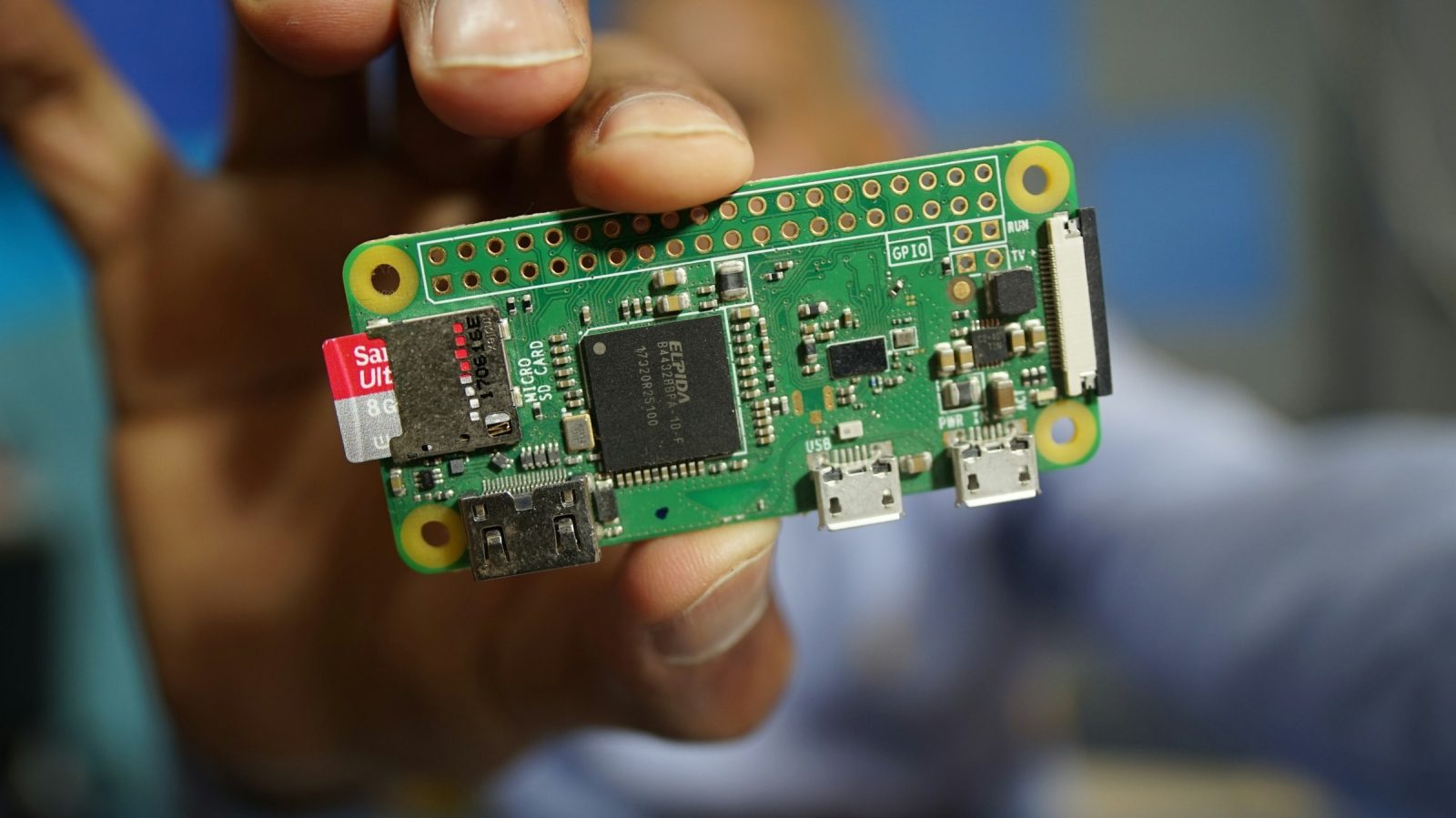
Only one board in this comparison is a full computer. The Zero 2 W product page puts the RP3A0, a system-in-package designed by Raspberry Pi in the UK, at its heart, with a 1GHz quad-core Arm Cortex-A53, 512MB of SDRAM and 2.4GHz Wi-Fi, for a headline price of $15. Like the Pi 4 and Pi 5, it runs Linux from a memory card.

That makes it the right board when a project needs Linux software or a desktop, which no Pico can run, and everything in our list of essential Linux commands for new Pi owners applies to it. The cost is the one ITPro describes: a general purpose operating system sits between your code and the pins.
As of 18 November 2026 the Zero 2 W was sold out at many retailers, raspberry.tips reported, though it still lists at $15. The same site points readers who do not need Linux to the Pico 2 W instead.
In February 2026, in a post about memory-driven price rises, Raspberry Pi said it did not anticipate any change to the price of the Raspberry Pi Zero, the Raspberry Pi 3 and other older products, because of its stock of LPDDR2 memory.
The Zero 2 W does give you a quad-core Linux computer for $15, but the Pico 2 W costs $7, less than half that, and for anything that does not need Linux it is the better board. I would buy a Zero 2 W only when Linux is a hard requirement, and then either wait for stock or buy a bigger Pi.
How do you get a first program running?
The first flash is short, and Raspberry Pi's MicroPython documentation covers it. Download the MicroPython UF2 file for your board. Push and hold the BOOTSEL button while you connect the Pico to a computer with a USB cable, and the board mounts as a volume. Drag and drop the UF2 file onto that volume.
The volume's name shows which chip you have. The documentation gives RPI-RP2 for the Pico and RP2350 for the Pico 2.
After that you need an editor that talks to the board over USB. Thonny, a free Python editor with MicroPython support, is the usual choice, and connecting it gives you a prompt where the Python you type runs on the board. The classic first program switches an LED on and off.
Buy the Pico 2 W and you give up Linux and a desktop, and in return you get a $7 board that starts your program the moment it has power and drives its pins in real time.

I write about the Raspberry Pi and the small AI projects people try to squeeze onto cheap boards. I live in Valparaíso, a short walk from the Ascensor Artillería.
15 articles →