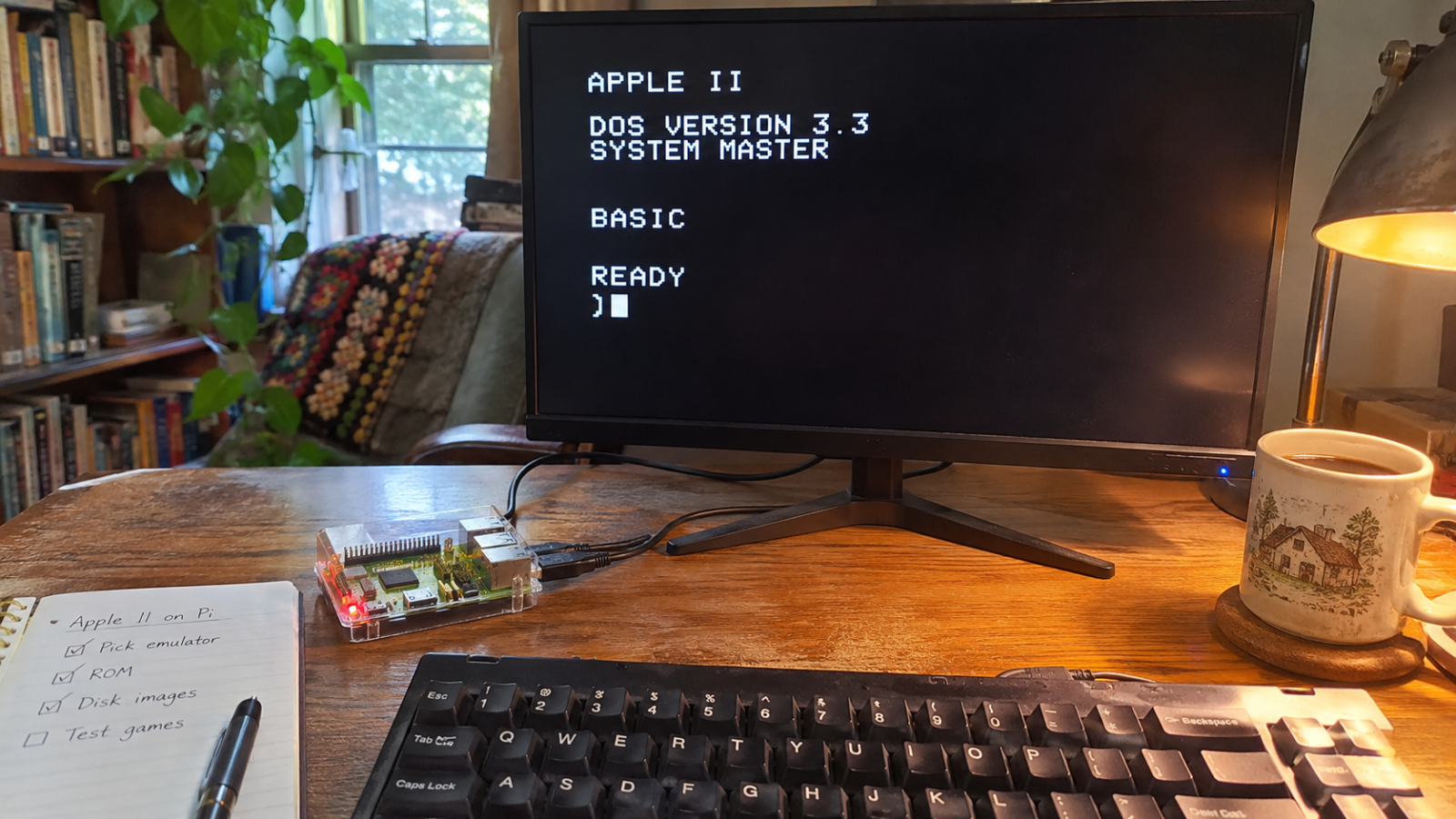
Almost fifty years after the Apple II went on sale, Pi owners who want one on their board still start with the same decision: which emulator to run. For most of them it should be LinApple. The Raspberry Pi team's own tutorial uses it, it installs on Raspberry Pi OS, and it reads the common disk formats without asking for a single BIOS file. MAME, run through RetroPie or Batocera, is for the stubborn, and I mean that as a warning more than a compliment.
Is LinApple really the only sensible choice?
LinApple is a fork of AppleWin, the emulator originally written by Mike O'Brien, and Raspberry Pi's own Apple II tutorial is built around it. That tutorial goes the long way round. It builds LinApple from source with cmake, then checks the result by autobooting the Master.dsk image from the ~/.linapple/disks folder. The test command, exactly as the tutorial prints it, is:
linapple --autoboot --d1 ~/.linapple/disks/Master.dskBuilding from source is fine if you are at home in a terminal, and anyone who is not can start with the handful of Linux commands a new Pi owner actually needs. A compile is a small rite of passage, but it is no longer the only way in. The LinApple project now ships ARM64 builds for Raspberry Pi OS 64-bit and Ubuntu ARM, installed from a Debian package, so the newer route skips cmake entirely.
The licence is the other reason to start here. LinApple's README on GitHub gives it as GPL-2.0, which means the code is free to use, change and share. The same README is where the practical details live: the key map, the hotkey switch and the full list of disk formats, all of which come up again in the disk section below. For anyone who wants one page open beside the emulator, that README is the page.
Other Apple II emulators are offered for the Pi, among them a paid one on itch.io and projects called Apple Piie and Apple Pi bare metal. For most readers they are curiosities. LinApple is the one with the Raspberry Pi team's tutorial behind it, an open licence and a package for current Pi OS, and that is enough to make it the first install, with the others left for a later afternoon of tinkering.
Does it matter which Pi you own?
Raspberry Pi's tutorial names no Pi model and Batocera's Apple II page does not list supported boards. A model list does come with the paid emulator on itch.io, whose seller claims it works on the Pi 2B, 3B, 3B+ and 3A+. That is a seller's claim about a different program, though, and it tells a LinApple user nothing about which board to buy or which one to leave in the drawer.
LinApple's ARM64 packages are built for Raspberry Pi OS 64-bit, and that release only runs on boards with a 64-bit processor, such as the Pi 3, Pi 4, Pi 5 and Zero 2 W. Older boards without such a processor fall outside what those packages cover. So the useful check before buying anything is whether a board runs Raspberry Pi OS 64-bit, because that is the one question about boards the LinApple project itself answers.
The rest of the setup is a desktop one. The tutorial raises Screen factor in the LinApple config from 1.0 to 2.5 and uses F6 to toggle full screen, and its other change, to the joystick setting, hands joystick duty to the mouse. A Pi wired to a monitor, keyboard and mouse covers all of that, with the keyboard also standing in for the Apple keys and the reset key, as the disk section explains.

Is MAME worth the trouble on RetroPie or Batocera?
Three emulators handle the Apple II on Batocera, according to its Apple II wiki page: RetroArch running the libretro MAME core, standalone MAME, and GSplus. The page points out that MAME does not use a separate core for each system the way RetroArch does. One program covers the Apple II along with everything else it emulates, which is both its strength and its burden, and on Batocera it accepts the longest list of file types of the three.
The burden is mostly BIOS files. MAME wants them, and Batocera's page names them, including bios/apple2e.zip and a2diskiing.zip. On RetroPie, users in a forum thread report MAME's apple2e driver stopping with errors such as disk2_33.rom NOT FOUND. LinApple, by contrast, appears in RetroPie's documentation with no BIOS listed at all, and that one line of a config page sums up the gap between the two.
Skipping the frontend is possible too. MAME's own Apple II driver page shows how to boot a floppy from the command line, with the -flop1 switch putting the disk in the first drive:
mame apple2e -flop1 Dung_Beetles.dskMAME's breadth is real, I grant that, and Batocera does list the Apple II as one of its systems with three emulators to pick from. But the price is a set of BIOS files that LinApple's RetroPie listing does not ask for, and for one machine from 1977 I think that price is too high. MAME earns its place once those files are already in order; from a fresh card, LinApple gets to a working Apple II with less to collect.
Why won't my disk load?
A disk image is a single file holding the contents of one Apple II floppy or hard disk, which the emulator mounts in a virtual drive, and its extension tells the emulator which format to expect. LinApple's README lists five standard floppy formats with full read and write support: .dsk, .do, .po, .nib and version 2 .woz. Its hard disk formats are .hdv, .po, .img and .2mg, so .po appears on both lists.

The other emulators cut that list differently. Batocera's wiki gives MAME and RetroArch the widest choice of the three, taking the common floppy formats along with .woz, .wav, several rarer image types and files packed in .zip or .7z archives. GSplus takes only the four older floppy formats, without .woz. A .woz image therefore needs LinApple or MAME rather than GSplus, and none of LinApple's hard disk formats appears on Batocera's page for any of its three emulators.
On RetroPie, the extension is the first thing to check. The Apple II page of RetroPie's documentation lists LinApple with an apple2 ROM folder, .dsk as the only extension, no BIOS, and its config at /opt/retropie/configs/apple2/linapple.conf. That single extension sits awkwardly beside LinApple's own README, which names four more floppy formats the emulator reads, so the gap is in the frontend's listing rather than in the emulator.
LinApple on RetroPie recognised only .dsk files until the extra extensions were added to es_systems.cfg, the EmulationStation file that defines each system, according to a thread on the RetroPie forum. The same thread points to lr-applewin, available through RetroPie-Extra, for anyone who would rather switch emulator than edit a system file. Editing the file is the smaller change, in my view, since it keeps the emulator RetroPie already documents.
If the disk loads but the game ignores you, look at the controls. The Raspberry Pi tutorial changes Joystick 0 in the config from 2 to 4, which lets the mouse stand in for a joystick, and once the emulator has captured the mouse, F1 hands it back to the desktop. The Apple II shipped with game controller ports, and many of its games were written for paddles or a joystick, so this setting is worth checking early.
The Apple keys need mapping as well. LinApple's README puts Open Apple on Left Alt or Super and Solid Apple on Right Alt or Super, with Reset on Ctrl+F10 and F12 to quit. Function keys are where the README expects conflicts, and its fix for them is one line in the config, Enable Hotkeys = 0, which switches LinApple's own hotkeys off so the keys pass through to whatever else wants them.
Where can you legally get software?
Start with what the tutorial itself points to. A sample disk, AppleIIBasicPrograms.dsk, sits in the ch03 folder of the raspberrypipress/retro-guide repository, and Raspberry Pi's tutorial also sends readers to type-in programs at apple2programs.com. Type-in programs are listings entered by hand at the BASIC prompt, the way many owners of 8-bit machines got their software from books and magazines.
The Computer History Museum released the source code of the 1978 Apple II DOS with Apple's permission, for non-commercial use only, and Apple kept the copyright, as MacRumors reported. That gives you history to read and study. It is source code for one piece of system software, though, not a shelf of games, and the permission covers that release and nothing wider.
Most of what people actually play has a murkier legal status. The Internet Archive offers hundreds of classic Apple II games playable in a browser, and Macworld's report on that collection describes the legal status of the 4am collection as gray and calls the Asimov FTP archive semi-legal. That is honest labelling, and it means those archives lack the clear standing of the museum release.
Choose LinApple on Raspberry Pi OS and you give up the point-and-click frontend of RetroPie or Batocera, but you get a faithful Apple II that boots legal disks with no BIOS files to chase.

Duarte Lemos writes about the Raspberry Pi and what small boards can and cannot do for retro gaming. He lives in Porto, near the Bolhão market, and keeps a drawer of old cables he refuses to throw away. He also follows hardware news.
15 articles →