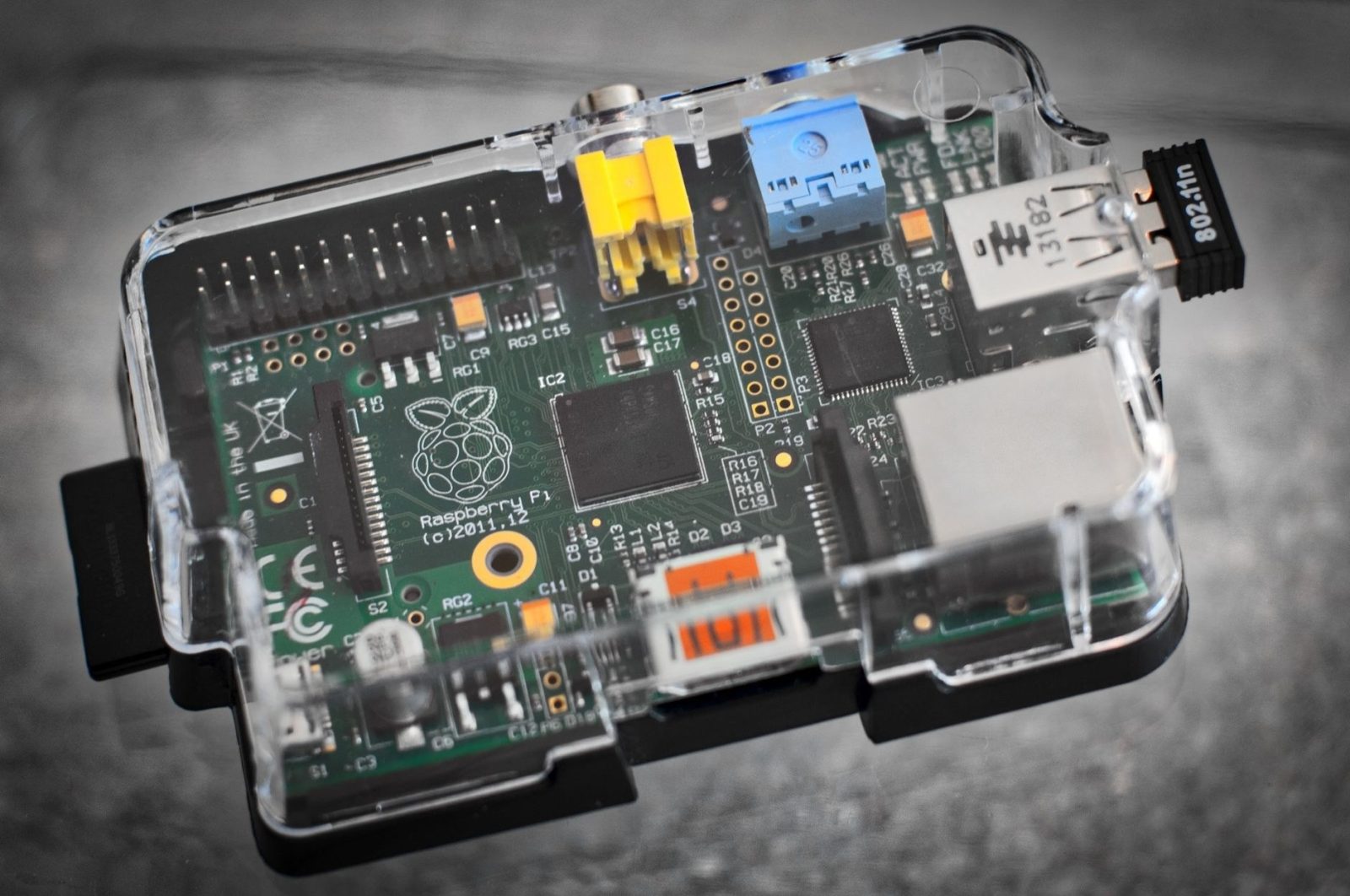
The Pi 5 came out about three years ago, and the 2026 price rise on the Pi 5 has changed my answer on retro boxes. Most people should buy less board than they expect. Community ratings gathered by raspberry.tips put everything up to the PlayStation within reach of a Zero 2 W or Pi 3. For N64 and Dreamcast, those ratings give a Pi 4 many and most titles, and the Pi 5 table rates both very good.
Raspberry Pi's own guide to turning a board into a classic games machine centres on the Pi 5. It names Recalbox, RetroPie, Lakka and Batocera as specialist emulation systems, and it points out that a Pico can emulate many classic 8-bit consoles and computers. I understand why the newest board leads that piece. I still think the older Pis deserve the first look, and for software I would start with Batocera or Recalbox.
You do not need a Pi 5 for anything up to the PlayStation
The clearest board-by-board picture sits in the community ratings on raspberry.tips. For the Pi 3 and the Zero 2 W the verdict is short: everything up to the PS1 runs, while N64, Dreamcast and PSP manage only individual titles. Batocera's system list dates the NES to 1983 and the PlayStation to 1994, so that verdict reaches across more than a decade of home consoles.
The ratings come from community experience rather than the site's own measurements, so they sketch each board in broad strokes instead of game by game. Even so, they put the Zero 2 W level with the Pi 3. For games that stop at the PlayStation, I think a bigger board adds cost for headroom the ratings do not call for. I would begin with one of those two boards.
Are N64 and Dreamcast worth chasing on a Pi 4?
The Pi 4 and Pi 400 sit one rung up. The same community ratings give them everything up to the PS1, plus Dreamcast and PSP "mostly" and "many" N64 titles. Those two words carry the whole comparison with the Pi 5. "Mostly" and "many" stop short of all, and the N64 gets the weaker of the two, so the Pi 4 is a partial answer for both consoles.
The wording changes on the Pi 5. In the Pi 5 table on raspberry.tips, PS1 is rated perfect using lr-pcsx_rearmed with the scph5501.bin BIOS. N64 is very good with mupen64plus and GLideN64, and Dreamcast is very good with Redream or lr-flycast plus a BIOS. PSP is very good with ppsspp-standalone. GameCube and Wii, by the same site's account, only start working on a Pi 5 with at least 4GB of RAM.
The Pi 4 does already cover most of the Dreamcast library in those ratings, but I think "mostly" is a weak reason to buy one new when the next board is rated "very good" for both consoles. Where N64 and Dreamcast are the reason for a build, I would go straight to the Pi 5. Where they are only an extra, the Pi 4's partial coverage is a reasonable compromise.
Of RetroPie's script, Recalbox or Batocera, only two offer an official Pi 5 image
RetroPie works differently from the other two. It is a setup script for the Raspberry Pi and other boards, and premade images exist for some of them. Its own notes recommend installing from binaries on a Pi, because building everything from source can take a long time. That design gives you control, and it also leaves you with the job of keeping the whole thing running.
On the Pi 5 that difference becomes practical. RetroPie, the same raspberry.tips comparison notes, has no official Pi 5 image and has run on the board through its setup script since October 2023. Recalbox, since version 9.2, and Batocera both have official Pi 5 images. RetroPie needs an operating system installed first and the script run on top, from the terminal that Mobzter's piece on the essential Linux commands a new Raspberry Pi owner needs deals with.
The script route also leaves any problems with you. An early thread on the RetroPie forum reported that the default N64 dynamic recompiler crashed with a segfault on the Pi 5. The cause was the board's 16kb memory pages, where the code expected 4kb, and the workaround was switching to the cached interpreter. That bug dates from the board's early days. What it shows is that on RetroPie, the person who ran the script also has to fix what breaks.
Batocera's own site calls it "an open-source and completely free retro-gaming distribution", and it can be copied to a USB stick or an SD card. I think that makes it the right default for a new build. It costs nothing, it has an official Pi 5 image, and it does not tie the build to one kind of storage. That is a short case, but nothing in the sources argues against it.

Recalbox makes its case on breadth and convenience. Its site claims more than 100 systems in a single console, and the company sells a Pi 5 Starter Kit with the software already installed. I think the kit is the easiest route of the three, because it removes the step of writing an image to storage. Of the three systems, only Recalbox offers a kit with the software already on it.
RetroPie's script does hand over more control than either image, and I understand why that appeals. A games box, though, should switch on without anyone opening a terminal. On a Pi 5, the two systems with official images come much closer to that. I would start with Batocera because it is free, then move to Recalbox if a ready-made kit appeals more than writing an image yourself.
The 2026 price rise makes a big Pi 5 a poor retro buy
Pi 5 pricing moved sharply this autumn. Tom's Hardware reports that the 16GB model went up by $80 to $385 in early November 2026. That is more than triple its launch price, in a rise described as temporary. The 8GB Pi 5 lists at $175. Those are large figures for a board that will run consoles from 1983 to 2004 in this build.
I think memory is where the retro case for the bigger boards is weakest. The only memory figure anywhere in the raspberry.tips ratings is the 4GB minimum for GameCube and Wii. For N64 and Dreamcast the Pi 5 ratings name no memory size, and the ratings do not list which titles sit outside "many" and "mostly". On that evidence, I would not pay for 8GB or 16GB to play anything up to the Dreamcast.

The basket is smaller than the shop pages make it look
For a Pi 5, the power supply goes in the basket first. The Pi Hut lists the official 27W USB-C supply at £11.50, and the same shop lists the Active Cooler at £4.80. I would not try to save money on the supply, since every other part depends on the board staying powered. Heat is a subject of its own, and Mobzter's piece on the measurable thermal benefits of heatsinks on a Raspberry Pi covers it.
The case and the controller turn a bare board into something that sits under the television. Raspberry Pi's retro piece lists the Game 5Pi NES-style case for the Pi 5 at £17 ($23) and The Pi Hut's wireless gamepad at £14 ($19). Those are the prices as that article gives them. Any case that fits the board and any supported controller will do the job, so I treat these two as choices about looks and comfort.
Storage is the last line in the basket. Batocera runs from an SD card or a USB stick, and Recalbox and Batocera each ship an official Pi 5 image to write to it. The card or stick has to hold more than the system, though. In the raspberry.tips Pi 5 table, both the PS1 and Dreamcast setups need a BIOS file, scph5501.bin in the PS1 case. So the storage holds those files as well as the games.
A Zero 2 W or Pi 3 gives up Dreamcast and most N64 games but still covers everything up to the PlayStation, and I would pay 2026 Pi 5 prices for N64 and Dreamcast headroom only when those two consoles are the reason for the build.

My posts look at how far a Raspberry Pi can go with retro gaming. I test which old consoles run smoothly and which ones struggle. Readers send me questions, and I answer them with plain, practical advice.
14 articles →