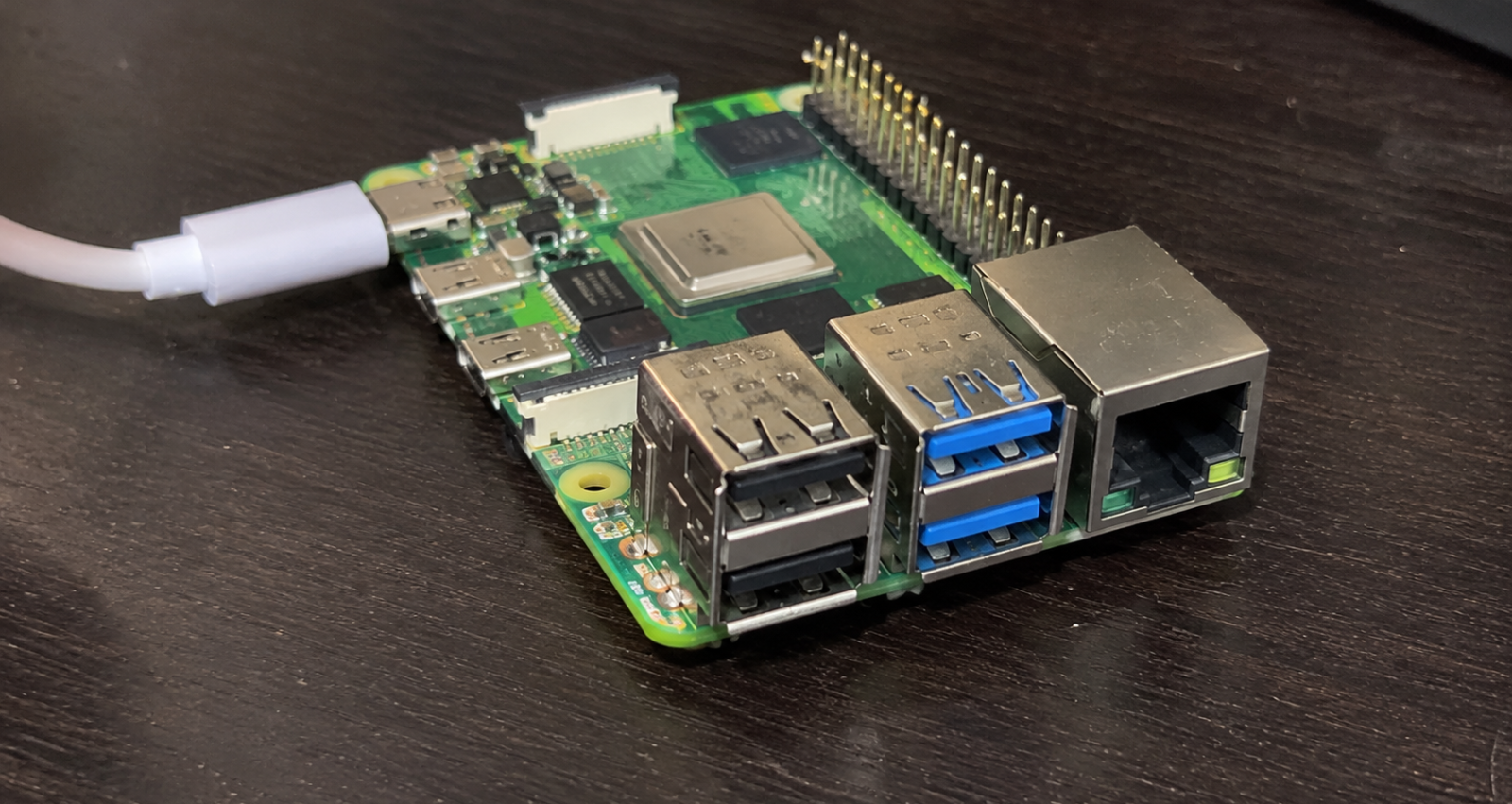
A Raspberry Pi is a credit-card-sized computer sold as a bare board. Add a power supply, a memory card and either a screen or a network connection and it runs a full operating system, so the same board can be a cheap Linux desktop for learning to code or the controller inside a camera or a retro games console. In 2026 the price of a Pi depends mostly on how much memory is soldered to it. Raspberry Pi raised the list price of the 16GB Pi 5 by $80 to $385 on 2 November, citing the supply of 16GB DRAM, a month after it put $12.50 on the 2GB Pi 4 and the 2GB Pi 5. Because every rise this year has been charged by memory size, the question for a buyer is which board does the job with the least memory.
Raspberry Pi models and their 2026 prices
The Pi 5 is the flagship. It is built on a Broadcom BCM2712 with four Cortex-A76 cores at 2.4GHz, it comes with 1GB, 2GB, 4GB, 8GB or 16GB of LPDDR4X memory, and Raspberry Pi lists it from $45. The Pi 4 Model B uses the older Broadcom BCM2711 with four Cortex-A72 cores at 1.8GHz, has up to 8GB of memory and starts at $35. The Zero 2 W is a $15 board measuring 65mm by 30mm, with a 1GHz quad-core Cortex-A53, 512MB of memory, 2.4GHz Wi-Fi and Bluetooth 4.2. The microcontrollers sit at the bottom of the range. The Pico 2 starts at $5 with the RP2350 and 520 KB of SRAM. The original Pico series, built on the dual-core Cortex-M0+ RP2040 with 264kB of RAM, starts at $4, and the Pico W costs $6.
In February the company raised prices by memory size: $10 on 2GB boards, $15 on 4GB, $30 on 8GB and $60 on 16GB. The 1GB boards were left alone, and the company said it did not expect Zero or Pi 3 prices to change. On 1 October the 2GB Pi 4 went to $67.50 and the 2GB Pi 5 to $77.50, and once again the 1GB models stayed where they were.
The November rise was the second this year for 16GB boards. When it announced the rise, Raspberry Pi called the memory situation "difficult but ultimately temporary" and said it expects to roll the increases back. It has not given a date. For now "temporary" describes what the company expects to happen, and the higher prices are still the ones on the list.
Which Raspberry Pi suits which job
For a first desktop or for learning Linux, buy a Pi 5. At 2GB it now costs $10 more than the 2GB Pi 4, and that $10 gets you Cortex-A76 cores at 2.4GHz instead of Cortex-A72 cores at 1.8GHz. The Pi 4 still makes sense where its lower starting price matters, or in a project that has to be rebuilt on the same hardware for years, because Raspberry Pi will keep making it until at least January 2034. On any board, buy the smallest memory size the job runs on. The larger sizes took the largest rises in dollars, and the memory is soldered to the board, so you cannot add more later. The October announcement went further and named the Pi 3B, 3A+ and 3B+ as cheaper options for some projects.
The Zero 2 W suits small jobs that run without a screen, such as a camera or a small network service, as long as 512MB of memory is enough for the software. Its built-in Wi-Fi means a build like that needs no network cable. The Pico 2 is a microcontroller and does not run a desktop operating system. Like the original Pico, it is programmed in C or MicroPython, and it is made for electronics work such as reading sensors and driving motors. For simpler jobs of the same kind, the original Pico with the RP2040 costs a dollar less.
Power supply, card and cables for each board
Raspberry Pi recommends a 5V 5A USB-C supply for the Pi 5, and its own 27W supply delivers 5.1 V at 5.0 A, which is 25.5 W. The Pi 4 takes 5V at 3A over USB-C, a 15W supply. The Pi 3 and older boards take 5V at 2.5A over micro USB. A supply kept from a Pi 3 therefore has the wrong plug for a Pi 4 or Pi 5, and a Pi 4 supply gives 3A where 5A is recommended for the Pi 5.
For the desktop version of Raspberry Pi OS the recommended card is at least 32 GB, and for Lite at least 8 GB. The official cards come in 32, 64 and 128GB and carry the A2 rating. A desktop setup also needs a keyboard and a mouse, plus a display with the right cable: micro-HDMI on the Pi 5 and Pi 4, and mini-HDMI on the Zero. The Pi 400 has the keyboard built in and stayed at $60 through the February rise, and Raspberry Pi calls it its lowest-cost all-in-one PC. If you want a desktop and already own a screen, compare its price with a bare board plus a keyboard.
Setting up the card with Raspberry Pi Imager
You prepare the card on another computer with Raspberry Pi Imager. It takes you through the choices in order: the board model, the operating system and the storage device. Next come optional settings for the hostname, Wi-Fi details and remote access, and then it writes the card. Imager erases everything on the selected device, so check the drive in that list before the write starts, especially if an external backup disk is plugged in. If you set up remote access at this stage, the Pi can run with no screen attached from its first boot.
How a Pi compares with a PC and an Arduino
A Pi is smaller and cheaper than a standard PC, and less powerful. The Pi 5 comes close to an ordinary desktop for basic use, but it is not a machine for recent games or video editing. An Arduino is at the other end of the scale, in the same group as the Pico. Microcontroller boards of that type run one program at a time, while a Pi runs a full operating system.
Until memory gets cheaper, its price has done what no launch event managed and made a Pi 3 look like a sensible buy.

New Raspberry Pi boards and releases are the news Eirik Haugland covers. He keeps the pieces short and dry.
2 articles →