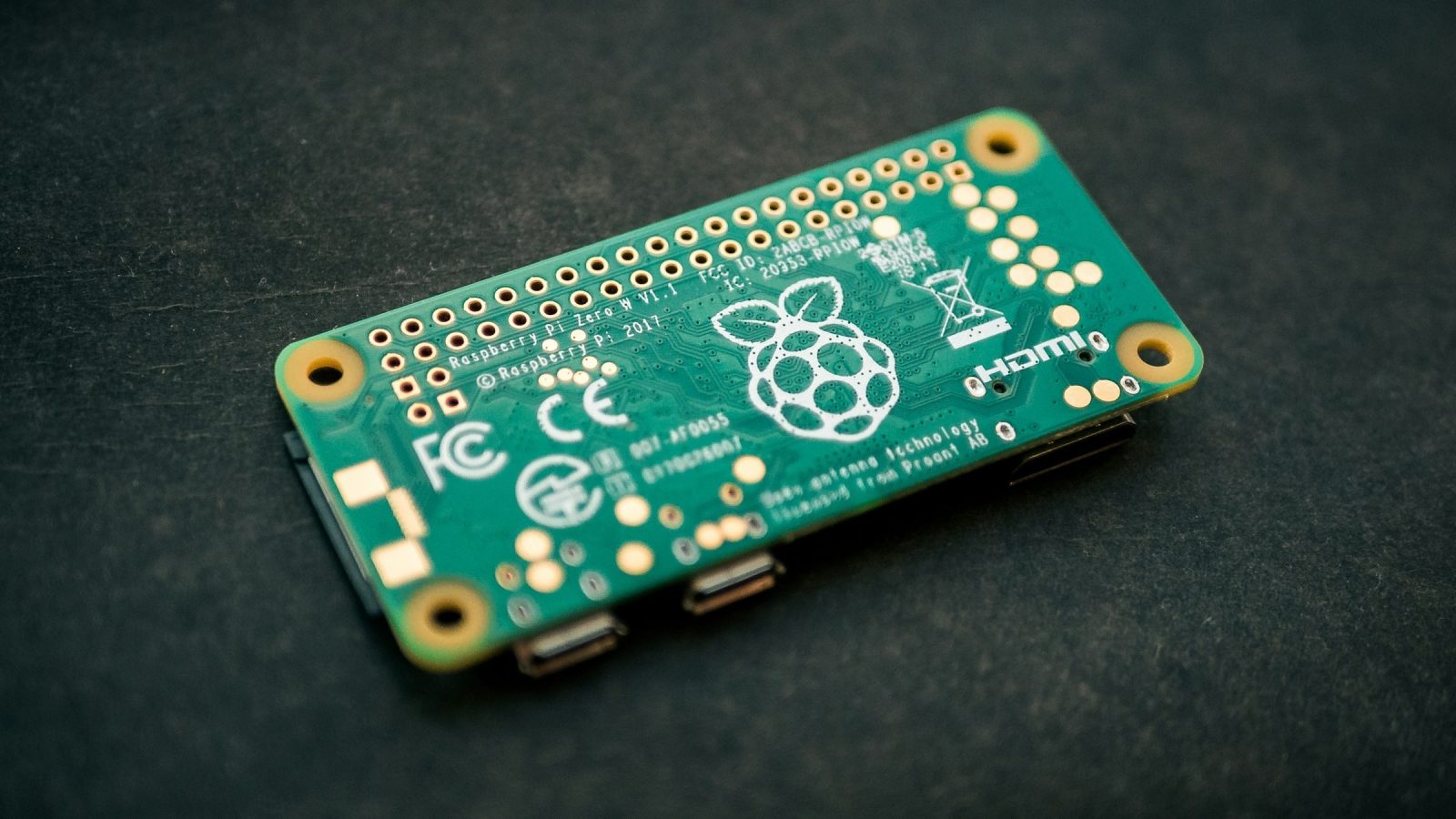
Web3-Pi's UPS sits in the USB power chain between the supply and the Pi rather than on top of the board, and it can ask the Pi's operating system to shut down when its reserves run low.
What Web3-Pi's USB power chain UPS does
Hackaday wrote up the unit in September 2026. It puts out 5 V at 5 A and takes its input from USB-C PD, a barrel jack or a hot-swappable Sony camera battery, so a flat camera battery can be changed while the Pi keeps running. The developer says he added the shutdown request because a hard power cut can corrupt a node database.
Battery HATs that run a Pi 5 for hours
The official 27W supply for the Pi 5 delivers 5.1 V at 5.0 A. On a 5 A supply a Pi 5 allows 1.6 A to downstream USB devices. On any other compatible supply it limits those devices to 600 mA, and on a 3 A supply USB boot is disabled by default unless this line is set in /boot/firmware/config.txt:
usb_max_current_enable=1The setting reflects whether the Pi's USB current limiter is set to high or low. For high-power USB peripherals, the Raspberry Pi documentation says a USB-PD supply capable of 5 A at +5 V should be used.
Geekworm's UPS Scap 5V5A, DFRobot's FIT0992 and Web3-Pi's unit all list a 5 A output, the same current as the official supply. The DFRobot board gives 5 V ±5% at up to 5 A from a 6 to 18 V DC input. Waveshare notes that with its UPS HAT (E), a Pi 5 that does not detect the official power supply may show a warning and limit its USB Type-A output current to 3 A.
SunFounder's PiPower 5 costs £35/$35, which is less than any of Geekworm's supercapacitor boards, and runs from a 7.4 V 2000 mAh pack of two 18650 cells. Raspberry Pi Magazine says it should keep a Pi 5 powered for up to around five hours once fully charged, depending on the workload.
It shuts the Pi down at a battery percentage set in a web dashboard, and Raspberry Pi Magazine says that to make the most of the setup you should install the PiPower 5 Tool by cloning its GitHub repository and running an installation script. It fits the Pi 5 and most other 40-pin models, but not the keyboard computers.
DFRobot's FIT0992 is also built for the Pi 5. It holds 18650 cells, DFRobot recommends a 12 V 3 A adapter for its input, and it handles shutdown in software over I2C. Once the Pi has shut down, the board turns off its own output, and it powers the Pi back on when power is restored. Waveshare's UPS HAT (E) talks to the Pi through a microcontroller at I2C address 0x2D. Its example program shuts the system down when the battery is too low and there is no external power. SunFounder's guide advises using only supported batteries in a UPS module to avoid overvoltage or thermal risks.
Supercapacitor HATs that run for seconds to minutes
Geekworm's UPS Scap 5V5A uses supercapacitors in place of lithium cells, and its runtime is on a much smaller scale. CNX Software reports that the 100F version of the Geekworm board runs for about 9 seconds at 5 V/5 A and up to 3.5 minutes at 0.5 A. On Geekworm's store the 22F board costs $44.90, the 60F $46.90 and the 100F $48.90. The board signals a power drop on GPIO26 and comes with reference scripts for power-loss detection, shutdown and wake-up. A hardware discharge button with an LED drains the capacitor, and only one charging input should be used at a time. It is designed for the Pi 5 and also works with the Pi 4B and 3B. Geekworm says its shutdown example "should be tested and adapted before unattended use".
Power banks with pass-through charging
When a power bank charges and supplies power at the same time, SunFounder's guide calls this UPS mode. For most Pi models the bank needs fast switch-over and at least 5 V 2.5 A, which is half the 5.0 A of the Pi 5's official supply. Some cheaper boards lack fast switch-over and may briefly cut power during the change. Power banks have fewer features than HATs and suit setups where a clean shutdown isn't critical. The HATs above offer a shutdown signal or a battery threshold that software on the Pi has to act on, and a mains UPS does the same through NUT. For a Pi that has to stop cleanly, choose one of those over a power bank.
A mains UPS watched by NUT
An ordinary mains UPS can do the same job through NUT. Jeff Geerling runs NUT on a Pi with the UPS plugged into the Pi's USB port, and he powers the Pi itself from a USB-C adapter on the PDU behind the rack UPS. On the Pi, NUT installs with:
sudo apt install -y nutIn his setup the Pi is the NUT server. It sends an fsd (forced shutdown) notice to all connected clients and then shuts itself down last, with this delay in his configuration:
FINALDELAY 180Setting up a safe shutdown
A safe shutdown starts with a signal. That is GPIO26 on the Geekworm board, I2C on the DFRobot board and on Waveshare's microcontroller, the dashboard threshold on the PiPower 5, or the USB link to NUT. Next you need the script that acts on the signal, usually the vendor's example. Read it through before you trust it with the Pi. Then set a delay that fits the reserve. The published figures measure different things and are not interchangeable: Waveshare's example shuts the system down within 60 seconds when the battery is too low and there is no external power, FINALDELAY 180 is the setting in Geerling's own server setup, and about 9 seconds is the 100F Geekworm board's reported runtime at 5 V/5 A. Whatever the delay, the shutdown has to finish inside the reserve of the board in use. Finally, cut the power on purpose while the Pi is doing its normal work, and check that it halts cleanly before the reserve runs out.
Bringing the Pi back once power returns is a separate job. On a Pi 5, POWER_OFF_ON_HALT=1 puts the power management chip into standby when the Pi halts. It is a bootloader EEPROM setting, not a config.txt line, and it is edited with:
sudo rpi-eeprom-config --editIn the editor, add these two lines:
POWER_OFF_ON_HALT=1
WAKE_ON_GPIO=0
A halted Pi 5 then wakes when its power button is pressed, which needs someone at the board. Geekworm's board adds a wake-up/sleep pin for power-recovery signalling. A Pi that has to come back by itself needs a UPS that powers it on when power returns, as DFRobot's FIT0992 does. A battery buys a Pi the minutes it needs to shut down, not an evening of uptime.

New Raspberry Pi boards and releases are the news Eirik Haugland covers. He keeps the pieces short and dry.
4 articles →