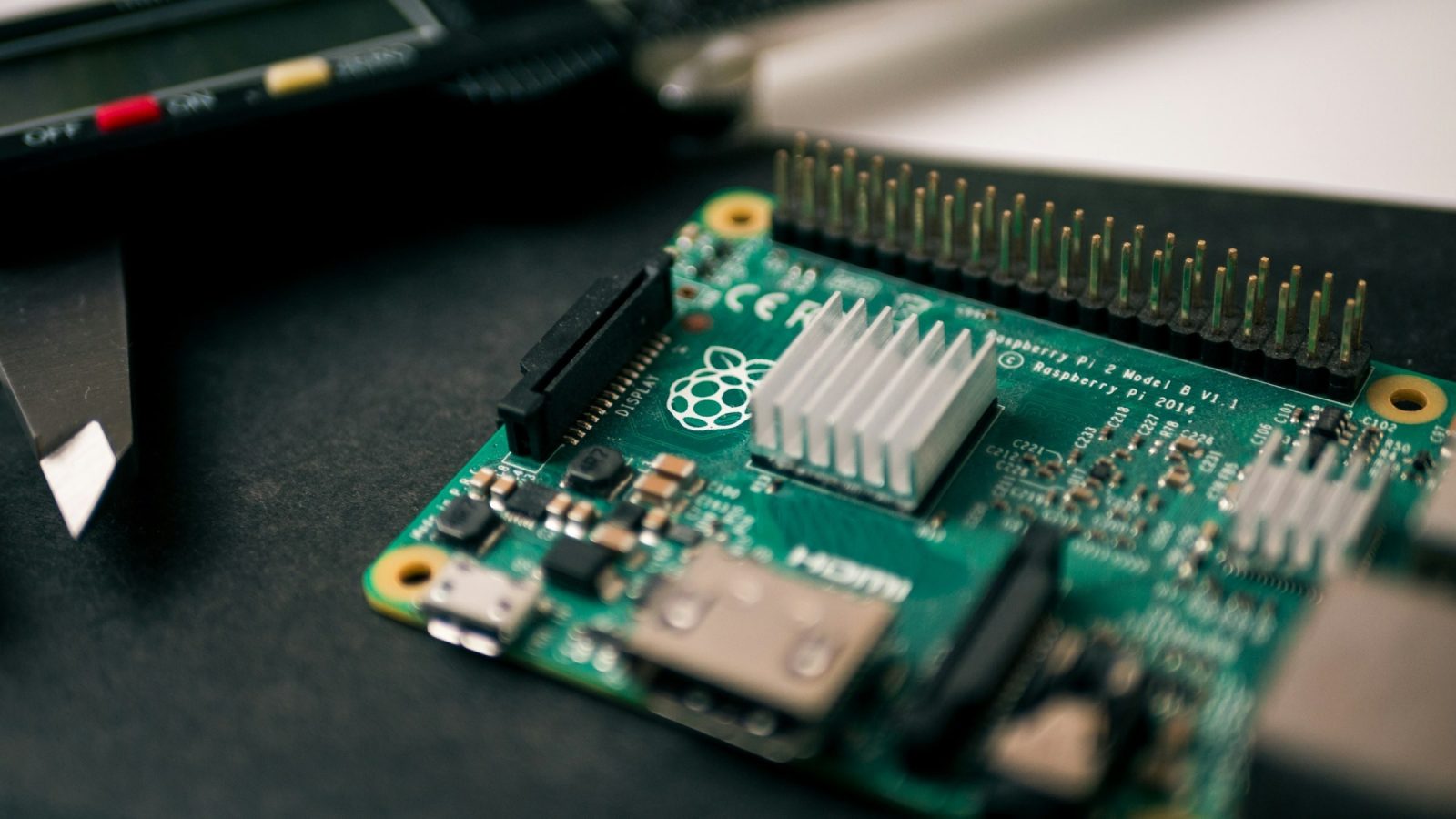
It has been less than a month since Raspberry Pi raised the 16GB Pi 5 to $385, on 2 November 2026. I think that rise is a good reason to choose projects the other way round. Instead of picking a build and then buying a board for it, start from the board you already own and ask which build it can carry. For each board, the answer depends on a few limits the projects publish themselves: mostly how much memory they need, plus storage and which boards they support.
Is the board you already own enough?
For most people, I think it is. The 2 November change added $80 to the 16GB Pi 5 and $40 to the 16GB Compute Module 5, while the Pi 500+ kept its price. Raspberry Pi blamed "steep rises in the cost of memory" and a lack of alternative supply for 16GB DRAM. The increases are selective. They fall on some 16GB products, not on the whole range.
A 16GB board is the right buy when a build really uses that much memory, but Pi-hole and Home Assistant, two common first builds, each ask for a small fraction of it. That makes the board in the drawer the place to start. A new one is worth buying only when a specific project's own requirements rule the old one out. And when a build does outgrow the old board, Pi 5 memory sizes start at 1GB, so the 16GB model that took the rise is only one of several to choose from.
The 16GB Pi 5 rose $80 to $385 on 2 November 2026, which makes the board you own the place to start: a Pico 2 for sensors and motors, a Zero 2 W for Pi-hole, a Pi 4 with 2GB or more for Home Assistant, and a Pi 5 only when a job outgrows a Pi 4.
A Pico 2 or Zero 2 W covers more than its price suggests
The cheapest board here is the Pico 2, a microcontroller that sells from $5, a third of what a Zero 2 W costs. It has no operating system. It runs one program you write and load onto it, which suits physical builds where something has to light up, move or be measured. Its 16 PWM channels can dim LEDs or control servos and motors, and its 3 ADC channels read analogue sensors such as a light sensor or a potentiometer.
The Pico 2 W is the Pico 2 with wireless added, and for these builds that is the question to settle before buying. A build that stays on the bench, lighting a strip or turning a servo, has no use for wireless, so the plain Pico 2 is enough. A sensor that has to send its readings over wireless needs the Pico 2 W.
The Zero 2 W is a $15 board with a 64-bit quad-core Cortex-A53 at 1GHz and 512MB of RAM, and unlike the Pico it runs full Linux. That memory is exactly what Pi-hole lists as its minimum, so the Zero 2 W has none to spare and is best given Pi-hole alone. Pi-hole also needs a static IP address, though a DHCP reservation on the router is enough, and it supports only actively maintained versions of the operating systems it lists.
Home Assistant is a different matter. Its Raspberry Pi installation supports only the Pi 4 and Pi 5, so a Zero 2 W or Pico 2 is not covered by it, and an owner of either who wants to follow that installation needs one of the two bigger boards.

Is a Pi 4 still the sweet spot?
For home automation, I think it is. The Pi 4 Model B starts at $35, runs a 1.8GHz Cortex-A72 and comes with 1GB to 8GB of RAM. It is one of the two boards that Home Assistant supports on a Raspberry Pi, and the install guide asks for at least 2GB of RAM.
The $35 starting price is for the smallest Pi 4, with 1GB of RAM, which falls short, while every larger Pi 4 meets the requirement. A Pi 4 bought for home automation therefore has to be a 2GB model or larger, and any such board also meets Pi-hole's 512MB minimum.
The board is not the whole shopping list. The install guide also lists a power supply, an SD card reader, an Ethernet cable, which it says is required for installation, and a card of at least 32GB. A Pi 4 owner may already have some of these, and most laptops have a card reader built in, but the 32GB card is an extra cost for anyone without a spare one that size.
Pi 3 owners lose out here. Home Assistant's supported list starts at the Pi 4, so a Pi 3 is better kept for lighter jobs, such as Pi-hole, than set up as a home automation hub.
A Pi 5 earns its price only when a job outgrows a Pi 4
The Pi 5 is the fastest board here. It has a 2.4GHz quad-core Cortex-A76 where the Pi 4 has a 1.8GHz Cortex-A72, and RAM from 1GB to 16GB where the Pi 4 stops at 8GB. It also has the usual 40-pin GPIO header and a PCIe 2.0 x1 interface.
The board isn't the whole cost. Raspberry Pi recommends a 5V 5A USB-C power supply, such as its own 27W USB-C Power Supply, which is sold separately, and the board performs best with active cooling. A Pi 5 owner without a suitable supply is buying one on top of the board, and a cooler is worth adding for the best performance.

I think the Pi 5 is worth its price when a job puts its faster cores, its larger memory sizes or its PCIe 2.0 x1 link to use. Sure, a Pi 5 runs Pi-hole and Home Assistant, but neither needs one, and the 16GB board's new price is a lot to spend on jobs that use a small part of its memory. Buy a Pi 5 when a build's own requirements go beyond what a Pi 4 offers, and then buy the smallest memory size that meets them. If a build will need 16GB later but not now, waiting makes sense, because Raspberry Pi says the rises will be rolled back when memory costs fall.
Which build is easiest to start with
How hard a build is depends more on how much it asks you to wire, code and configure than on which board runs it. The order below is an editor's estimate based on each maker's published requirements, not on tested builds.
Pi-hole sits at the gentle end. It is one service on a Linux board, a Zero 2 W meets its 512MB memory requirement, and it needs at least 2GB of free storage, with 4GB recommended.
Home Assistant comes next, because it asks for more before the install starts: a Pi 4 or Pi 5 rather than any Pi, more memory than the smallest Pi 4 has, a larger card and an Ethernet cable for the installation. Owners of a 1GB Pi 4, a Pi 3 or a Zero 2 W fall outside that list and have to buy a board before they begin.
A Pi 5 build brings extra parts with it. The separately sold supply, and the cooler that lets the board perform at its best, add pieces to put together before any software goes on.
Pico builds come last for a first project, even though the $5 board is the smallest outlay of any here. Builds that use sensors, LEDs or motors mean wiring parts to its PWM or ADC pins and writing the program that controls them, which is a harder first step than installing a service on Linux. For someone who already writes code and wires circuits, that order can flip.
Picking by the board you own means giving up a new-board shopping trip, and in return you get a project that suits the Pi in your drawer: a Pico 2 for sensors and LEDs, a Zero 2 W for Pi-hole alone, a Pi 4 above the 1GB model for Home Assistant, and a Pi 5 only for a job bigger than any of those.

From Cebu City, Rhea Manalo tracks which old games run well on Raspberry Pi boards.
16 articles →